Error executing template "Designs/Swift/Paragraph/Swift_ProductComponentParagraph.cshtml"
System.ArgumentException: Could not write parsed file: C:\inetpub\solutions\Goecker-2022-Prod\Files\Templates\Designs\Swift\_parsed\Swift_ProductComponentEdit.parsed.cshtml System.IO.IOException: The process cannot access the file 'C:\inetpub\solutions\Goecker-2022-Prod\Files\Templates\Designs\Swift\_parsed\Swift_ProductComponentEdit.parsed.cshtml' because it is being used by another process.
   at System.IO.__Error.WinIOError(Int32 errorCode, String maybeFullPath)
   at System.IO.FileStream.Init(String path, FileMode mode, FileAccess access, Int32 rights, Boolean useRights, FileShare share, Int32 bufferSize, FileOptions options, SECURITY_ATTRIBUTES secAttrs, String msgPath, Boolean bFromProxy, Boolean useLongPath, Boolean checkHost)
   at System.IO.FileStream..ctor(String path, FileMode mode, FileAccess access, FileShare share, Int32 bufferSize, FileOptions options, String msgPath, Boolean bFromProxy, Boolean useLongPath, Boolean checkHost)
   at System.IO.StreamWriter.CreateFile(String path, Boolean append, Boolean checkHost)
   at System.IO.StreamWriter..ctor(String path, Boolean append, Encoding encoding, Int32 bufferSize, Boolean checkHost)
   at System.IO.StreamWriter..ctor(String path, Boolean append, Encoding encoding)
   at Dynamicweb.Core.Helpers.TextFileHelper.WriteTextFile(String value, String path, Boolean appendToFile, Encoding encoding)
   at Dynamicweb.Rendering.Designer.Parser.Parse(Layout l)
   at Dynamicweb.Rendering.Designer.Parser.Parse(Layout l)
   at Dynamicweb.Rendering.Designer.Layout.CheckParsed()
   at Dynamicweb.Rendering.Designer.Layout..ctor(FileInfo f, Design design)
   at Dynamicweb.Rendering.Designer.Layout.GetLayoutByLocation(String path)
   at Dynamicweb.Content.Layouts.LayoutLocator.FindLayout(Page page, String layoutName)
   at Dynamicweb.Frontend.Content.GetLayoutForDevice(Page page, DeviceType device)
   at Dynamicweb.Frontend.Content.CreateGridContent(Int32 contentId, Boolean ignoreVisualEdit)
   at Dynamicweb.Frontend.Content.RenderExternalGrid(Int32 pageId, String container)
   at CompiledRazorTemplates.Dynamic.RazorEngine_699e778d555249c1a82d2dcc59b31992.Execute() in C:\inetpub\solutions\Goecker-2022-Prod\Files\Templates\Designs\Swift\Paragraph\Swift_ProductComponentParagraph.cshtml:line 39
   at RazorEngine.Templating.TemplateBase.RazorEngine.Templating.ITemplate.Run(ExecuteContext context, TextWriter reader)
   at RazorEngine.Templating.RazorEngineService.RunCompile(ITemplateKey key, TextWriter writer, Type modelType, Object model, DynamicViewBag viewBag)
   at RazorEngine.Templating.RazorEngineServiceExtensions.<>c__DisplayClass16_0.<RunCompile>b__0(TextWriter writer)
   at RazorEngine.Templating.RazorEngineServiceExtensions.WithWriter(Action`1 withWriter)
   at Dynamicweb.Rendering.RazorTemplateRenderingProvider.Render(Template template)
   at Dynamicweb.Rendering.TemplateRenderingService.Render(Template template)
   at Dynamicweb.Rendering.Template.RenderRazorTemplate()


  1     @inherits Dynamicweb.Rendering.ViewModelTemplate<Dynamicweb.Frontend.ParagraphViewModel>
  2
  3     @{
  4     	int itemSourcePageId = Convert.ToInt32(Model.Item.GetRawValueString("ComponentSource", "0"));
  5
  6     	var pageService = new Dynamicweb.Content.PageService();
  7     	itemSourcePageId = itemSourcePageId > 0 && pageService.GetPageOrLanguage(itemSourcePageId, Pageview.AreaID) != null ? pageService.GetPageOrLanguage(itemSourcePageId, Pageview.AreaID).ID : itemSourcePageId;
  8     }
  9
 10     @if (itemSourcePageId != 0) {
 11     	var page = Dynamicweb.Content.Services.Pages.GetPage(itemSourcePageId);
 12
 13     	if (page != null) {
 14     		var pageViewModel = Dynamicweb.Frontend.ContentViewModelFactory.CreatePageInfoViewModel(page);
 15     		string itemTheme = !string.IsNullOrWhiteSpace(pageViewModel.Item.GetRawValueString("Theme")) ? " theme " + pageViewModel.Item.GetRawValueString("Theme").Replace(" ", "").Trim().ToLower() : string.Empty;
 16
 17     		string contentPadding = pageViewModel.Item.GetRawValueString("ContentPadding", "");
 18     		contentPadding = contentPadding == "none" ? "p-0" : contentPadding;
 19     		contentPadding = contentPadding == "small" ? "p-2 p-md-3" : contentPadding;
 20     		contentPadding = contentPadding == "large" ? "p-4 p-md-5" : contentPadding;
 21     		contentPadding = contentPadding == "small-x" ? "px-2 px-md-3" : contentPadding;
 22     		contentPadding = contentPadding == "large-x" ? "px-4 px-md-5" : contentPadding;
 23
 24     		string layout = Model.Item.GetRawValueString("Layout", "top");
 25     		switch (layout)
 26     		{
 27     			case "top":
 28     			case "alignLeftMiddle":
 29     				layout = "";
 30     				break;
 31     			case "center":
 32     			case "alignLeft":
 33     				layout = "d-flex align-items-center text-start";
 34     				break;
 35     		}
 36
 37     		<div class="@contentPadding @itemTheme @(layout) h-100 item_@Model.Item.SystemName.ToLower()">
 38     			<div class="w-100">
 39     				@RenderGrid(itemSourcePageId)
 40     			</div>
 41     		</div>
 42     	} else if (Pageview.IsVisualEditorMode) {
 43     		<div class="alert alert-dark m-0" role="alert">
 44     			<span>@Translate("The selected component does not exist anymore")</span>
 45     		</div>
 46     	}
 47     } else if (Pageview.IsVisualEditorMode) {
 48     	<div class="alert alert-dark m-0" role="alert">
 49     		<span>@Translate("Product component: The component will be shown here, if any")</span>
 50     	</div>
 51     }
 52

Personlig rådgivning
Få hjælp af vores specialister

Butik & showroom
Se og prøv udstyret i København og Aarhus
.png&height=32&width=32&Crop=0&format=webp "Fri fragt over 500 kr.")
Fri fragt over 500 kr.
På ordrer leveret i Danmark

Over 160 års erfaring
Foto og video siden 1862
Beskrivelse
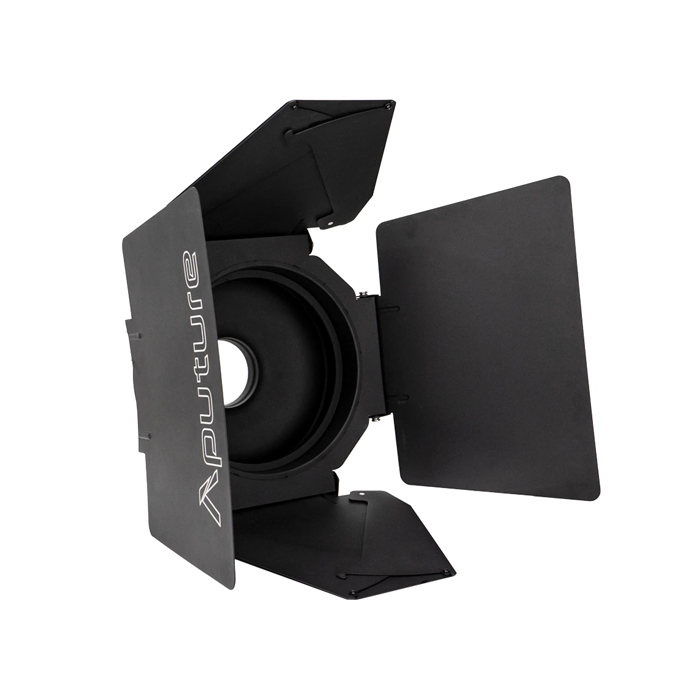
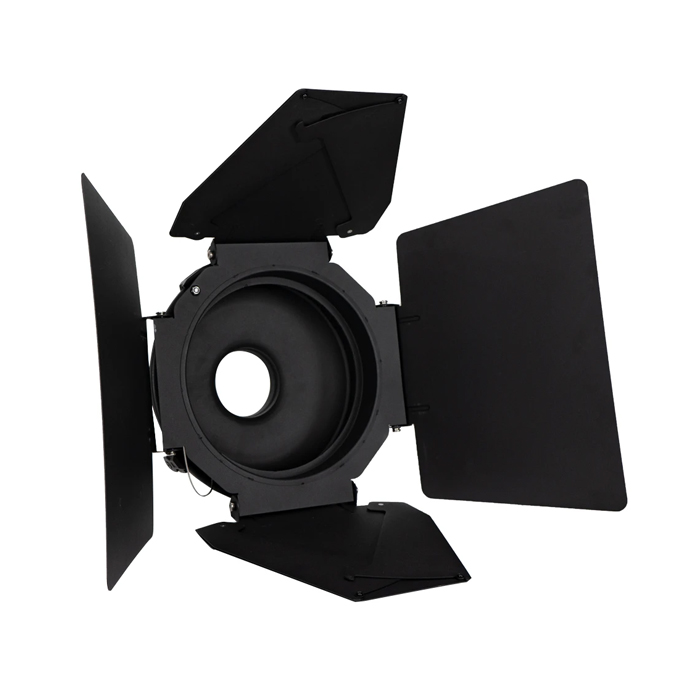
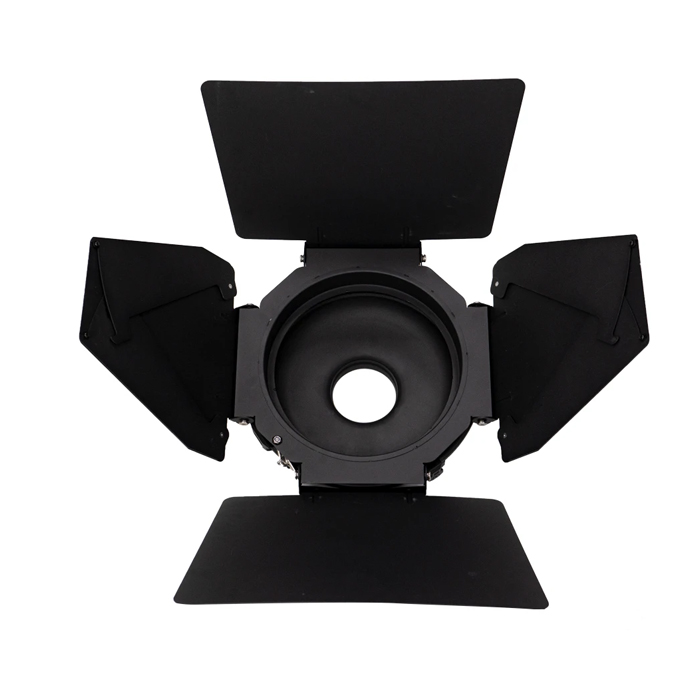
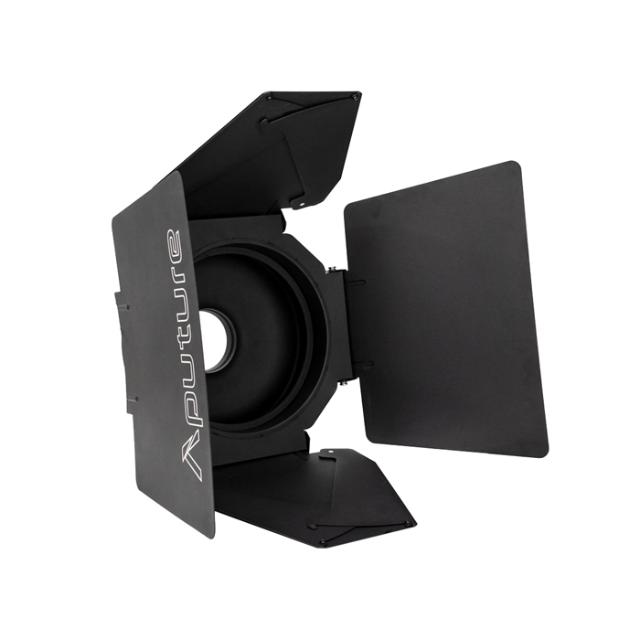
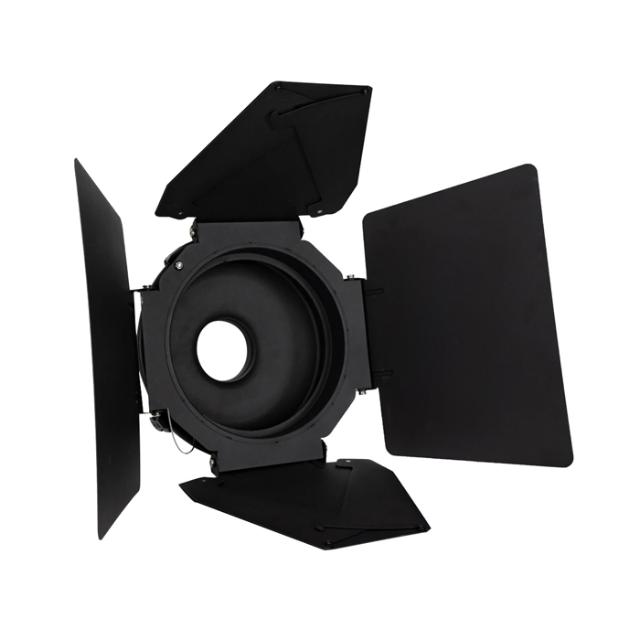
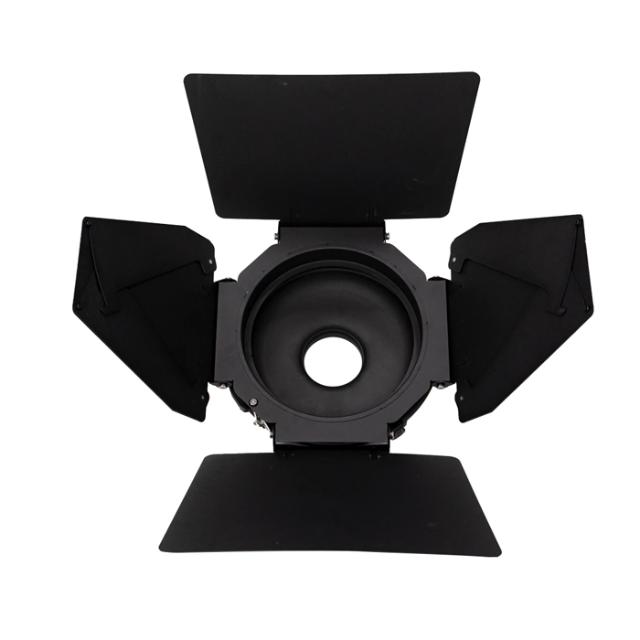
Aputure Barndoors for F10 Fresnel
The F10 Barn Doors are designed for the F10 Fresnel, and slide into its standard 333mm Drop-In Accessory Slot. Like with traditional Fresnel Fixtures, the leaves on the F10 Barn Doors are designed to be large enough to properly shape and control the output of an industry-standard 10-inch Fresnel.
Unlike traditional Fresnel Barn Doors, the F10 Barn Doors feature an 8-Leaf design, including four smaller "helper flags" that can rotate in and out adjust the shape of the output based on your needs.
Much like the Aputure Barn Doors for the Fresnel 2X and Reflectors, the F10 Barn Doors includes a Negative Reflector (Black Reflector Dish." This black dish simultaneously allows the F10 Barn Doors to be mounted directly onto a Bowens Mount light fixture and also minimizes the size of the light-emitting source to just the LED chipset, for sharper shadows.
The F10 Barn Doors are composed of a durable black powder-coated aluminum alloy, making them tough enough for a wide range of filmmaking environments. Each set of Barn Doors also include a safety cable and mounting point, allowing you to confidently use them on set.
Aputure F10 Barn Doors Top Features
- Compatible with Aputure F10 Fresnel: The larger barn door leaves are better for shaping light, particularly from large sources
- 8-Leaf Adjustable Barn Doors: Large leaves with additional helper flags aid in precisely shaping light
- Includes Safety Cable: A safety cable and mounting point come fixed to the light for added security
- Black Reflector Dish: The included black reflector features the same drop-in accessory slot as the F10 Fresnel, allowing the F10 Barn Doors to mount directly to any Bowen Mount fixture
- Sharper Cuts: Combined with the larger leaves and the black reflector dish, which minimizes the size of the light source, the F10 Barn Doors, can provide sharper cuts than many other LED barn doors
- Compatible with the Bowens Mount LED lights, such as the Aputure LS 600d Pro, 300d II, 300x, 120d II, etc
- Durable Build: The F10 Barn Doors will withstand the test of time; made from single sheets of black power-coated aluminum and featuring laser-etched logos
Specifikationer
| Producent | Aputure |
| Kategori | Barndoor |