
Error executing template "Designs/Swift/Paragraph/Swift_ProductComponentParagraph.cshtml"
System.ArgumentException: Could not write parsed file: C:\inetpub\solutions\Goecker-2022-Prod\Files\Templates\Designs\Swift\_parsed\Swift_ProductComponentEdit.parsed.cshtml System.IO.IOException: The process cannot access the file 'C:\inetpub\solutions\Goecker-2022-Prod\Files\Templates\Designs\Swift\_parsed\Swift_ProductComponentEdit.parsed.cshtml' because it is being used by another process.
   at System.IO.__Error.WinIOError(Int32 errorCode, String maybeFullPath)
   at System.IO.FileStream.Init(String path, FileMode mode, FileAccess access, Int32 rights, Boolean useRights, FileShare share, Int32 bufferSize, FileOptions options, SECURITY_ATTRIBUTES secAttrs, String msgPath, Boolean bFromProxy, Boolean useLongPath, Boolean checkHost)
   at System.IO.FileStream..ctor(String path, FileMode mode, FileAccess access, FileShare share, Int32 bufferSize, FileOptions options, String msgPath, Boolean bFromProxy, Boolean useLongPath, Boolean checkHost)
   at System.IO.StreamWriter.CreateFile(String path, Boolean append, Boolean checkHost)
   at System.IO.StreamWriter..ctor(String path, Boolean append, Encoding encoding, Int32 bufferSize, Boolean checkHost)
   at System.IO.StreamWriter..ctor(String path, Boolean append, Encoding encoding)
   at Dynamicweb.Core.Helpers.TextFileHelper.WriteTextFile(String value, String path, Boolean appendToFile, Encoding encoding)
   at Dynamicweb.Rendering.Designer.Parser.Parse(Layout l)
   at Dynamicweb.Rendering.Designer.Parser.Parse(Layout l)
   at Dynamicweb.Rendering.Designer.Layout.CheckParsed()
   at Dynamicweb.Rendering.Designer.Layout..ctor(FileInfo f, Design design)
   at Dynamicweb.Rendering.Designer.Layout.GetLayoutByLocation(String path)
   at Dynamicweb.Content.Layouts.LayoutLocator.FindLayout(Page page, String layoutName)
   at Dynamicweb.Frontend.Content.GetLayoutForDevice(Page page, DeviceType device)
   at Dynamicweb.Frontend.Content.CreateGridContent(Int32 contentId, Boolean ignoreVisualEdit)
   at Dynamicweb.Frontend.Content.RenderExternalGrid(Int32 pageId, String container)
   at CompiledRazorTemplates.Dynamic.RazorEngine_b8d16991a81f4c6b916728fe04b73c62.Execute() in C:\inetpub\solutions\Goecker-2022-Prod\Files\Templates\Designs\Swift\Paragraph\Swift_ProductComponentParagraph.cshtml:line 39
   at RazorEngine.Templating.TemplateBase.RazorEngine.Templating.ITemplate.Run(ExecuteContext context, TextWriter reader)
   at RazorEngine.Templating.RazorEngineService.RunCompile(ITemplateKey key, TextWriter writer, Type modelType, Object model, DynamicViewBag viewBag)
   at RazorEngine.Templating.RazorEngineServiceExtensions.<>c__DisplayClass16_0.<RunCompile>b__0(TextWriter writer)
   at RazorEngine.Templating.RazorEngineServiceExtensions.WithWriter(Action`1 withWriter)
   at Dynamicweb.Rendering.RazorTemplateRenderingProvider.Render(Template template)
   at Dynamicweb.Rendering.TemplateRenderingService.Render(Template template)
   at Dynamicweb.Rendering.Template.RenderRazorTemplate()

1 @inherits Dynamicweb.Rendering.ViewModelTemplate<Dynamicweb.Frontend.ParagraphViewModel> 2 3 @{ 4 int itemSourcePageId = Convert.ToInt32(Model.Item.GetRawValueString("ComponentSource", "0")); 5 6 var pageService = new Dynamicweb.Content.PageService(); 7 itemSourcePageId = itemSourcePageId > 0 && pageService.GetPageOrLanguage(itemSourcePageId, Pageview.AreaID) != null ? pageService.GetPageOrLanguage(itemSourcePageId, Pageview.AreaID).ID : itemSourcePageId; 8 } 9 10 @if (itemSourcePageId != 0) { 11 var page = Dynamicweb.Content.Services.Pages.GetPage(itemSourcePageId); 12 13 if (page != null) { 14 var pageViewModel = Dynamicweb.Frontend.ContentViewModelFactory.CreatePageInfoViewModel(page); 15 string itemTheme = !string.IsNullOrWhiteSpace(pageViewModel.Item.GetRawValueString("Theme")) ? " theme " + pageViewModel.Item.GetRawValueString("Theme").Replace(" ", "").Trim().ToLower() : string.Empty; 16 17 string contentPadding = pageViewModel.Item.GetRawValueString("ContentPadding", ""); 18 contentPadding = contentPadding == "none" ? "p-0" : contentPadding; 19 contentPadding = contentPadding == "small" ? "p-2 p-md-3" : contentPadding; 20 contentPadding = contentPadding == "large" ? "p-4 p-md-5" : contentPadding; 21 contentPadding = contentPadding == "small-x" ? "px-2 px-md-3" : contentPadding; 22 contentPadding = contentPadding == "large-x" ? "px-4 px-md-5" : contentPadding; 23 24 string layout = Model.Item.GetRawValueString("Layout", "top"); 25 switch (layout) 26 { 27 case "top": 28 case "alignLeftMiddle": 29 layout = ""; 30 break; 31 case "center": 32 case "alignLeft": 33 layout = "d-flex align-items-center text-start"; 34 break; 35 } 36 37 <div class="@contentPadding @itemTheme @(layout) h-100 item_@Model.Item.SystemName.ToLower()"> 38 <div class="w-100"> 39 @RenderGrid(itemSourcePageId) 40 </div> 41 </div> 42 } else if (Pageview.IsVisualEditorMode) { 43 <div class="alert alert-dark m-0" role="alert"> 44 <span>@Translate("The selected component does not exist anymore")</span> 45 </div> 46 } 47 } else if (Pageview.IsVisualEditorMode) { 48 <div class="alert alert-dark m-0" role="alert"> 49 <span>@Translate("Product component: The component will be shown here, if any")</span> 50 </div> 51 } 52

Beskrivelse

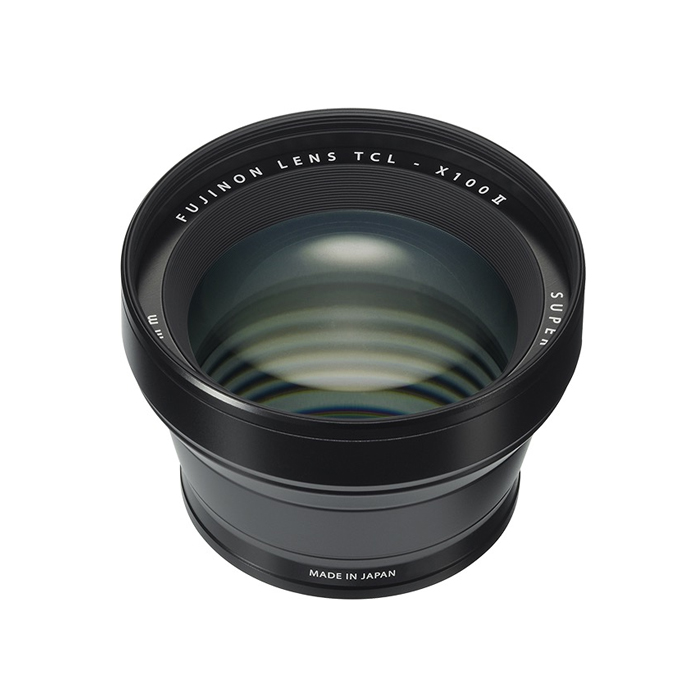
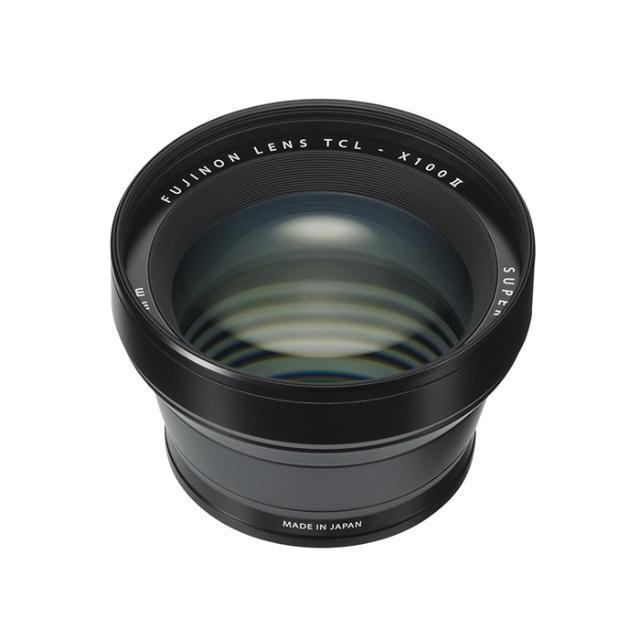
Fujifilm tele conversion lens TCL-X100II

The “TCL-X100 II” is a dedicated tele-conversion lens for narrowing the field of view by multiplying the fixed focal length by approx. 1.4x, converting it to 50mm (35mm format equivalent).

This lens can be used in a variety of situations, such as portraits taking advantage of a natural perspective, or close-up photography from as close as 14cm.

When the TCL-X100 II is mounted on the X100F, the camera automatically recognizes the conversion lens and corrects aberrations.

Compatibility

X100V / X100F / X100T / X100S / X100

Specifikationer

Producent Fuji
Kategori Teleconverter