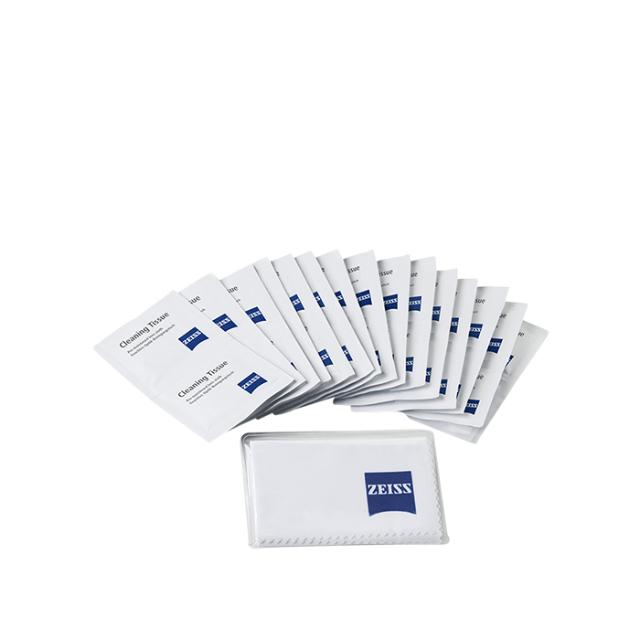
ZEISS PRE-MOISTENED CLEANING CLOTH
ZEISSLENSWIPES
Onlinelager (1-2 dages lev.)
København (Click & Collect)

Error executing template "Designs/Swift/Paragraph/Swift_ProductComponentParagraph.cshtml" System.ArgumentException: Could not write parsed file: C:\inetpub\solutions\Goecker-2022-Prod\Files\Templates\Designs\Swift\_parsed\Swift_ProductComponentEdit.parsed.cshtml System.IO.IOException: The process cannot access the file 'C:\inetpub\solutions\Goecker-2022-Prod\Files\Templates\Designs\Swift\_parsed\Swift_ProductComponentEdit.parsed.cshtml' because it is being used by another process. at System.IO.__Error.WinIOError(Int32 errorCode, String maybeFullPath) at System.IO.FileStream.Init(String path, FileMode mode, FileAccess access, Int32 rights, Boolean useRights, FileShare share, Int32 bufferSize, FileOptions options, SECURITY_ATTRIBUTES secAttrs, String msgPath, Boolean bFromProxy, Boolean useLongPath, Boolean checkHost) at System.IO.FileStream..ctor(String path, FileMode mode, FileAccess access, FileShare share, Int32 bufferSize, FileOptions options, String msgPath, Boolean bFromProxy, Boolean useLongPath, Boolean checkHost) at System.IO.StreamWriter.CreateFile(String path, Boolean append, Boolean checkHost) at System.IO.StreamWriter..ctor(String path, Boolean append, Encoding encoding, Int32 bufferSize, Boolean checkHost) at System.IO.StreamWriter..ctor(String path, Boolean append, Encoding encoding) at Dynamicweb.Core.Helpers.TextFileHelper.WriteTextFile(String value, String path, Boolean appendToFile, Encoding encoding) at Dynamicweb.Rendering.Designer.Parser.Parse(Layout l) at Dynamicweb.Rendering.Designer.Parser.Parse(Layout l) at Dynamicweb.Rendering.Designer.Layout.CheckParsed() at Dynamicweb.Rendering.Designer.Layout..ctor(FileInfo f, Design design) at Dynamicweb.Rendering.Designer.Layout.GetLayoutByLocation(String path) at Dynamicweb.Content.Layouts.LayoutLocator.FindLayout(Page page, String layoutName) at Dynamicweb.Frontend.Content.GetLayoutForDevice(Page page, DeviceType device) at Dynamicweb.Frontend.Content.CreateGridContent(Int32 contentId, Boolean ignoreVisualEdit) at Dynamicweb.Frontend.Content.RenderExternalGrid(Int32 pageId, String container) at CompiledRazorTemplates.Dynamic.RazorEngine_699e778d555249c1a82d2dcc59b31992.Execute() in C:\inetpub\solutions\Goecker-2022-Prod\Files\Templates\Designs\Swift\Paragraph\Swift_ProductComponentParagraph.cshtml:line 39 at RazorEngine.Templating.TemplateBase.RazorEngine.Templating.ITemplate.Run(ExecuteContext context, TextWriter reader) at RazorEngine.Templating.RazorEngineService.RunCompile(ITemplateKey key, TextWriter writer, Type modelType, Object model, DynamicViewBag viewBag) at RazorEngine.Templating.RazorEngineServiceExtensions.<>c__DisplayClass16_0.<RunCompile>b__0(TextWriter writer) at RazorEngine.Templating.RazorEngineServiceExtensions.WithWriter(Action`1 withWriter) at Dynamicweb.Rendering.RazorTemplateRenderingProvider.Render(Template template) at Dynamicweb.Rendering.TemplateRenderingService.Render(Template template) at Dynamicweb.Rendering.Template.RenderRazorTemplate()
1 @inherits Dynamicweb.Rendering.ViewModelTemplate<Dynamicweb.Frontend.ParagraphViewModel> 2 3 @{ 4 int itemSourcePageId = Convert.ToInt32(Model.Item.GetRawValueString("ComponentSource", "0")); 5 6 var pageService = new Dynamicweb.Content.PageService(); 7 itemSourcePageId = itemSourcePageId > 0 && pageService.GetPageOrLanguage(itemSourcePageId, Pageview.AreaID) != null ? pageService.GetPageOrLanguage(itemSourcePageId, Pageview.AreaID).ID : itemSourcePageId; 8 } 9 10 @if (itemSourcePageId != 0) { 11 var page = Dynamicweb.Content.Services.Pages.GetPage(itemSourcePageId); 12 13 if (page != null) { 14 var pageViewModel = Dynamicweb.Frontend.ContentViewModelFactory.CreatePageInfoViewModel(page); 15 string itemTheme = !string.IsNullOrWhiteSpace(pageViewModel.Item.GetRawValueString("Theme")) ? " theme " + pageViewModel.Item.GetRawValueString("Theme").Replace(" ", "").Trim().ToLower() : string.Empty; 16 17 string contentPadding = pageViewModel.Item.GetRawValueString("ContentPadding", ""); 18 contentPadding = contentPadding == "none" ? "p-0" : contentPadding; 19 contentPadding = contentPadding == "small" ? "p-2 p-md-3" : contentPadding; 20 contentPadding = contentPadding == "large" ? "p-4 p-md-5" : contentPadding; 21 contentPadding = contentPadding == "small-x" ? "px-2 px-md-3" : contentPadding; 22 contentPadding = contentPadding == "large-x" ? "px-4 px-md-5" : contentPadding; 23 24 string layout = Model.Item.GetRawValueString("Layout", "top"); 25 switch (layout) 26 { 27 case "top": 28 case "alignLeftMiddle": 29 layout = ""; 30 break; 31 case "center": 32 case "alignLeft": 33 layout = "d-flex align-items-center text-start"; 34 break; 35 } 36 37 <div class="@contentPadding @itemTheme @(layout) h-100 item_@Model.Item.SystemName.ToLower()"> 38 <div class="w-100"> 39 @RenderGrid(itemSourcePageId) 40 </div> 41 </div> 42 } else if (Pageview.IsVisualEditorMode) { 43 <div class="alert alert-dark m-0" role="alert"> 44 <span>@Translate("The selected component does not exist anymore")</span> 45 </div> 46 } 47 } else if (Pageview.IsVisualEditorMode) { 48 <div class="alert alert-dark m-0" role="alert"> 49 <span>@Translate("Product component: The component will be shown here, if any")</span> 50 </div> 51 } 52
Få hjælp af vores specialister
Se og prøv udstyret i København og Aarhus
På ordrer leveret i Danmark
Foto og video siden 1862
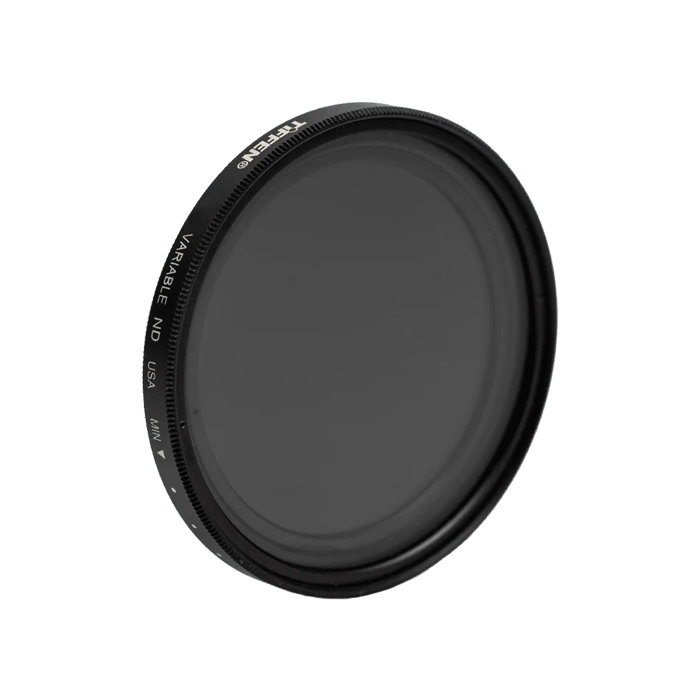
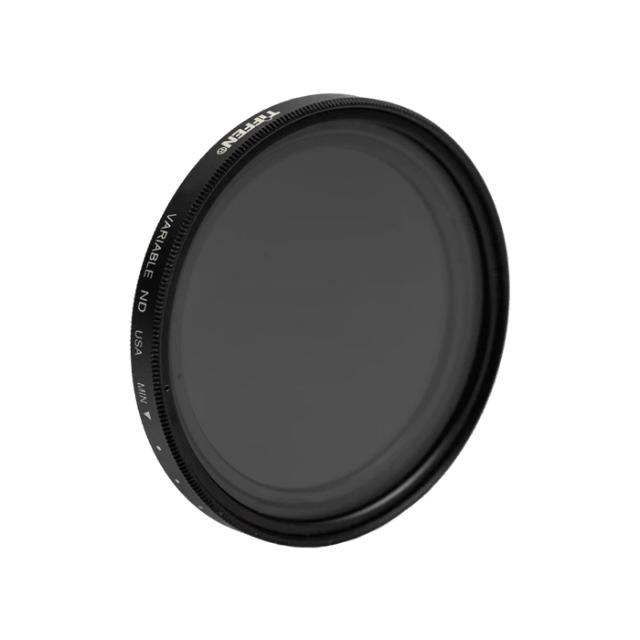
The Tiffen Variable ND filter is a unique, versatile and flexible tool, affording you the convenience of using several Neutral Density filters all in one. Primarily used as a photographic tool for controlling depth of field and exposure, the Variable ND is being sought in the video market as well because it is fast, easy to use, small, lightweight, and does not require additional accessories such as a matte box.
The Tiffen Variable ND filter operates on the same principle as a Circular Polarizer – rotate until you reach your desired effect and shoot. It allows you to have continuous control over the amount of light coming through your lens in an approximate range of 2 (ND 0.6) to 8 (ND 2.4) stops – while maintaining the integrity of your image. Note: The evenly spaced indexing marks between MIN and MAX do not represent calibrated stops. They are for reference only, to be used as a density bench-mark to return to a previous setting.
Tiffen camera filters are manufactured using ColorCore technology, a closely guarded proprietary process that entails permanently laminating the filter material in between two pieces of optical glass that are ground flat to tolerances of a ten-thousandth of an inch, then mounting them in precision metal rings.
The ColorCore process allows Tiffen to control the color and density of Tiffen filters, and the characteristics of special effects filters with much greater accuracy than typical dyed-in-the-mass filters, which usually exhibit color and density variations.
| Producent | Tiffen |
| Kategori | Filter |
| Filter diameter | 58 mm |
| Filtertype | Screw-in |
| Filtereffekt | ND |